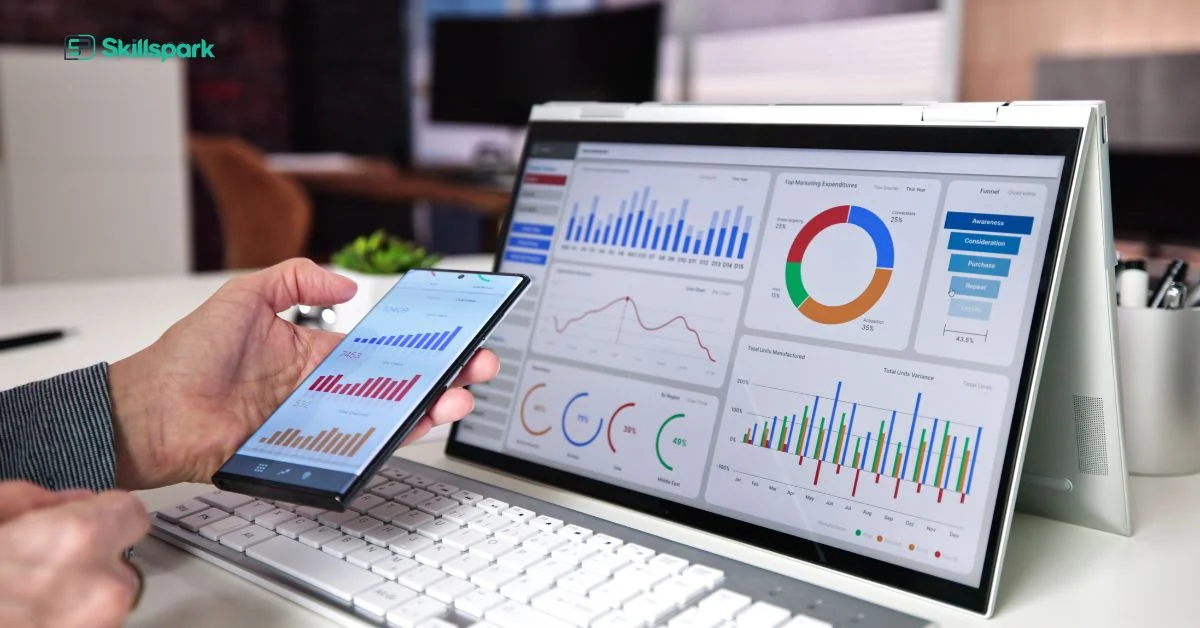
Data Analytics with Coding

Data Analytics with Coding Course in Kochi — Govt. Certified

Join Skillspark’s Data Analytics with Coding course at our Kochi centre. Master Advanced Excel, Power BI, Python, SQL, and Prompt Technology — with dual certification from ASAP Kerala (Government of Kerala) and the American Board of Education, and 100% placement support for data analytics careers in Kochi, Kerala, and the Gulf.

Apply Online

Upgrade your skills and be competent for the on demand jobs with this Data Analytics with Coding Course
    Select Study Center

    Syllabus - What will you learn in Data Analytics with Coding course

    This 6-month classroom program at our Kochi centre covers 10 practical modules — from Advanced Excel and Prompt Technology to Python, SQL, Power BI, and pre-placement coaching — making it the most comprehensive data analytics with coding course available in Kochi with dual ASAP Kerala and American Board of Education certification.

    Course at a Glance — All Modules
    #ModuleKey Topics Covered
    1Advanced Excel for Data AnalyticsVLOOKUP, XLOOKUP, INDEX-MATCH, pivot tables, dashboards, conditional formatting, data cleaning, department-wise analytics projects
    2AI Prompt Engineering for Data Analytics ProfessionalsPrompt frameworks for analytics, AI-assisted formula creation, SQL query building, DAX measure building, EDA using prompts, insight writing, AI validation
    3Data Visualization and Reporting Using Power BIData import, Power Query, data modelling, DAX functions, interactive dashboards, scheduled refresh, Power BI Service
    4Smart Data Collection TechniquesData collection methods, survey design, web data extraction, data quality checks, structured and unstructured data handling
    5Data Management and Analysis Using Google SheetsSheets formulas, collaborative data management, filters, pivot tables, chart creation, Google Sheets for team reporting
    6Professional Dashboard CreationDesign and build data-driven dashboards for business reporting, KPI visualisation, and management decision support
    7Python for Data AnalyticsPython basics, Pandas, NumPy, data cleaning, data analysis, visualisation using Matplotlib and Seaborn
    8SQL for Data Retrieval and AnalysisSQL basics, SELECT queries, joins, subqueries, CTEs, window functions, data filtering and aggregation for business reporting
    9ProjectEnd-to-end real-world data analytics project — data collection, cleaning, analysis, visualisation, and presentation
    10Pre-Placement TrainingInterview coaching, resume building, LinkedIn profile, mock interviews, business communication, grooming


    Detailed Syllabus — What You Will Learn in Data Analytics Course in Kochi
    Master Data Organisation and Formatting
    • Clean and structure datasets using tables, filters, and data validation
    • Use conditional formatting to highlight trends, exceptions, and deadlines
    • Design standardised templates for recurring tasks across departments
    Perform Advanced Calculations and Analysis
    • Apply key formulas such as VLOOKUP, XLOOKUP, IF, INDEX-MATCH, TEXT, DATEDIF, and ARRAY formulas
    • Use SUMIFS, COUNTIFS, and AVERAGEIFS to create data summaries for multiple criteria
    • Perform cross-sheet and multi-file lookups to consolidate information
    Visualize and Summarize Data for Decision-Making
    • Build Pivot Tables, Pivot Charts, and interactive dashboards
    • Use slicers, timelines, and linked charts to drill into key metrics
    • Automate report generation and refresh with dynamic formulas
    Apply Excel Skills in Different Departments
    1. Finance & Accounting
    • Automate monthly budgeting and reconciliation
    • Analyze expense patterns and predict overspending
    • Project: Create a budget vs. actual variance tracker with auto-highlighting of discrepancies
    2. Human Resources (HR)
    • Manage attendance, leave, payroll, and attrition reports
    • Analyze employee turnover trends and headcount movement
    • Project: Build an HR dashboard to monitor employee status, probation, and resignation patterns
    3. Marketing & Campaign Analysis
    • Track campaign performance across channels
    • Analyze ROI based on leads, conversions, and cost per acquisition
    • Project: Design a campaign effectiveness dashboard with traffic, cost, and conversion trends
    4. Operations & Inventory Management
    • Monitor stock levels, reorder points, and wastage
    • Automate inventory inflow-outflow reports and procurement needs
    • Project: Develop a real-time inventory tracker with stock alerts and movement logs
    5. Sales & Business Development
    • Track team-wise, product-wise, and region-wise sales targets
    • Analyze sales funnels, performance ratios, and closure rates
    • Project: Build a sales pipeline dashboard with monthly targets, conversion rates, and forecast
    Ensure Accuracy and Team Collaboration
    • Use data protection, and track changes for secure collaboration
    • Share auto-updating reports through OneDrive, Google Drive, or Teams integration
    • Implement backup, versioning, and printing standards for documentation
    • Generate Excel or Python formulas to clean messy data
    • Write complex Excel formulas or Google Sheets functions
    • Generate SQL queries from plain-English questions
    • Generate Python code for charts
    • Save time by automating repetitive analysis
    • Reduce dependency on technical experts
    • Improve clarity and confidence in reporting
    Import and Clean Data for Analysis
    • Connect Power BI to data sources such as Excel, Google Sheets, CSV, or cloud databases
    • Use Power Query to clean, transform, and merge datasets
    • Create data models by building relationships across multiple tables
    Create Interactive Dashboards and Visual Reports
    • Build live dashboards with visuals like:
      • Bar, line, and pie charts
      • Cards, slicers, filters, and gauges
      • Tree maps, matrix tables, and trend lines
    • Make dashboards interactive for user-driven analysis
    Automate Business Reporting
    • Set up scheduled data refresh and auto-generated reports
    • Share dashboards with managers or clients through Power BI Service
    • Use role-level security to manage who sees what
    Apply Power BI in Real-World Business Fields

    1. Finance & Accounting

    • Track expenses, income, profit margins, and financial KPIs
    • Visualize trends in monthly spending and budget adherence
    • Project: Create a financial performance dashboard showing monthly income vs. expense with variance indicators
    2. Human Resources (HR)
    • Monitor hiring, retention, attendance, and training metrics
    • Visualize attrition rate, headcount trends, and performance distributions
    • Project: Build an HR analytics dashboard displaying employee lifecycle metrics and department-wise turnover
    3. Marketing & Campaign Performance
    • Analyze lead sources, campaign ROI, ad spend, and conversion funnels
    • Visualize engagement metrics over time, geography, and platform
    • Project: Design a marketing campaign performance dashboard showing cost-per-click, leads, and conversion efficiency
    4. Operations & Logistics
    • Monitor stock movement, delivery time, procurement cycles, and usage trends
    • Identify bottlenecks and wastage across stages
    • Project: Build an operations dashboard to track supply chain performance and material availability
    5. Sales & Business Development
    • Visualize team-wise sales performance, targets, and customer acquisition
    • Forecast sales trends based on historical data
    • Project: Create a sales performance dashboard with filters by team, product, and region showing progress toward targets
    Publish, Collaborate, and Present Data-Driven Insights
    • Publish reports to the web or organization-wide Power BI workspace
    • Collaborate in real time using shared dashboards
    • Present insights in meetings with interactive, drill-down capabilities
    Google Forms for Data Collection
    • Design professional, user-friendly forms for:
      • Surveys
      • Registrations
      • Feedback
      • Internal requests and approvals
    • Customize themes, response types, and validation rules to ensure clean data entry
    Automate Workflow with Form Settings and Logic
    • Enable email notifications, confirmation messages, and form branching (conditional questions)
    • Set up limited access forms and response tracking
    • Use pre-filled links for personalized data collection
    Link Responses to Google Sheets for Real-Time Analysis
    • Automatically capture form responses in Google Sheets
    • Use filters, formulas, and conditional formatting to analyze collected data
    • Prepare instant reports or dashboards based on live input
    Apply Google Forms in Real-World Business Fields

    1. Finance & Office Admin

    • Collect petty cash claims, invoice approvals, or budget requests
    • Project: Design a finance request form linked to a summary sheet for monthly expense tracking
    2. Human Resources (HR)
    • Conduct employee feedback surveys, onboarding checklists, and leave applications
    • Project: Create a 360° feedback form with automated response analysis for appraisal support
    3. Marketing & Customer Interaction
    • Collect leads, customer feedback, and event registrations
    • Project: Build a customer satisfaction survey with real-time Google Sheet reporting
    4. Operations & Inventory
    • Track supply requests, equipment usage, or maintenance logs
    • Project: Develop a store request form integrated with stock update sheets
    5. Sales & CRM
    • Capture inquiry forms, pre-sales assessments, or demo booking requests
    • Project: Create a sales lead generation form with Google Sheet tracking and status filtering
    Share, Embed, and Collaborate with Ease
    • Share forms via links, email, or embed them in websites or intranets
    • Collaborate with team members to edit forms and access responses
    • Export responses for reporting or integrate with other tools like Google Data Studio
    Organize and Manage Real-Time Data
    • Structure data using tables, freeze panes, and filters
    • Use data validation, drop-down lists, and protected ranges to prevent data errors
    • Collaborate live with teammates using version history and comment threads
    Apply Advanced Formulas for Business Use
    • Perform calculations using IF, VLOOKUP, XLOOKUP, ARRAYFORMULA, TEXT, and DATE functions
    • Summarize large data sets with SUMIFS, COUNTIFS, and AVERAGEIFS
    • Automate recurring tasks using dynamic ranges and linked sheets
    Visualize Data for Better Decision-Making
    • Create bar charts, line graphs, pie charts, and combo charts for visual reporting
    • Use sparkline visuals, progress bars, and conditional formatting to highlight key metrics
    • Share printable and real-time dashboards with stakeholders
    Integrate Google Sheets with Other Tools
    • Connect with Google Forms to automatically collect and analyze data
    • Use IMPORTRANGE and QUERY functions to link multiple sheets
    • Export Sheets to Excel or PDF for external sharing and reporting
    Apply Google Sheets Across Business Domains
    1. Finance & Budgeting
    • Monitor budgets, expenditures, and profit margins
    • Project: Create a monthly expense tracker with category-wise filters and visual insights
    2. HR & People Management
    • Track leave balances, onboarding checklists, and employee data
    • Project: Build a live HR dashboard linked to a Google Form-based leave application system
    3. Marketing & Campaign Tracking
    • Monitor ad spend, lead conversions, and campaign KPIs
    • Project: Develop a campaign tracker that calculates ROI and engagement metrics in real-time
    4. Operations & Workflow Tracking
    • Maintain inventory, procurement status, and delivery timelines
    • Project: Build a supply chain tracker with alerts for low stock and delays
    5. Sales & CRM Support
    • Record leads, sales activity, and revenue targets
    • Project: Design a sales tracker with automatic performance calculations and target monitoring
    Enhance Efficiency Through Automation & Collaboration
    • Use conditional formatting, formulas, and pivot tables to minimize manual work
    • Assign edit/view rights and collaborate seamlessly with remote teams
    • Store backups with version control and prevent data loss
    Design Real-Time Dashboards for Business Monitoring
    • Create dashboards that update automatically using live data from:
      • Excel files
      • Google Sheets
      • Power BI data sources
    • Display department-specific KPIs clearly for stakeholders
    Build Function-Based Dashboards Across Fields
    1. Finance Dashboard
    • Monitor budget utilization, revenue flow, and expense breakdowns
    • Project: Build a real-time finance tracker showing monthly income, cost centers, and variance alerts
    2. HR Dashboard
    • Track attendance, leave balance, headcount, and attrition
    • Project: Design an HR dashboard linked with data entry sheets and leave trackers
    3. Sales Dashboard
    • Monitor daily sales, targets, conversion rates, and team-wise performance
    • Project: Create a sales performance dashboard with filters for region, team, and product
    4. Marketing Dashboard
    • Analyze campaign effectiveness, ROI, lead sources, and cost per lead
    • Project: Develop a marketing performance dashboard using real or simulated campaign data
    5. Operations Dashboard
    • Visualize stock movement, delivery performance, vendor reliability, and task completion
    • Project: Build a dashboard to track procurement cycle, pending deliveries, and alerts
    Combine Multiple Data Sources into One View
    • Merge sheets using QUERY, IMPORTRANGE, or Power BI relationships
    • Consolidate data from multiple branches, teams, or projects in a unified view
    • Schedule automatic updates to reduce manual reporting
    Deliver Reports That Drive Action
    • Prepare dashboards for management review, team briefings, or client updates
    • Export dashboards as PDF reports, live shareable links, or printed summaries
    • Provide insights that support data-driven decisions
    Understand Python for Practical Use
    • Set up Python and write your first scripts using tools like Jupyter Notebook or Google Colab
    • Use basic syntax for:
      • Variables and data types
      • Conditional logic (if, else)
      • Loops (for, while)
    • Automate repetitive tasks like renaming files or filtering data
    Work with Data Using Python Libraries
    • Use Pandas to:
      • Import data from Excel, CSV, and Google Sheets
      • Clean, sort, and filter large datasets quickly
      • Perform group-wise operations (e.g., total sales by region)
    • Use NumPy for numerical operations on arrays and business metrics
    Visualize Data with Python
    • Create charts using Matplotlib and Seaborn
    • Visualize trends, comparisons, and categories with:
      • Line graphs
      • Bar charts
      • Histograms
      • Heatmaps
    • Save graphs as images for presentations or reports
    Apply Python Across Business Fields
    1. Finance
    • Automate generation of expense reports and reconcile budgets
    • Project: Write a script to compare budget vs. actual and flag overspending
    2. HR
    • Analyze employee data and generate leave or attendance summaries
    • Project: Filter and summarize employee leave by department using Pandas
    3. Marketing
    • Clean campaign data and analyze performance metrics
    • Project: Visualize lead conversion rates and ad performance trends
    4. Sales
    • Segment customers, track sales patterns, and forecast targets
    • Project: Build a sales report that summarizes weekly performance by product
    5. Operations
    • Track inventory levels, vendor delays, or service metrics
    • Project: Create a dashboard-ready summary of stock usage and reorder alerts
    Prepare Reports and Automate Workflows
    • Export processed data to Excel or PDF using Python scripts
    • Automate daily report generation and email delivery (intro to Python + SMTP)
    • Build a basic data pipeline from input to output for recurring office tasks
    Understand the Basics of SQL and Databases
    • Learn the structure and components of a relational database
    • Understand tables, columns, rows, primary keys, and foreign keys
    • Use SQL clients like MySQL Workbench, SQLite, or online SQL editors for practice
    Retrieve and Filter Business Data Using SELECT Queries
    • Use SELECT, FROM, WHERE to extract specific data from tables
    • Apply filters using conditions like AND, OR, IN, BETWEEN, LIKE
    • Sort and limit results using ORDER BY and LIMIT
    Summarize Data with Aggregations and Grouping
    • Use aggregate functions: SUM, COUNT, AVG, MIN, MAX
    • Group data using GROUP BY to generate departmental summaries
    • Filter groups with HAVING to extract specific insights
    Join Multiple Tables for Cross-Functional Insights
    • Perform INNER JOIN, LEFT JOIN, and RIGHT JOIN to combine data from related tables
    • Merge employee, department, sales, and finance records for reporting
    • Understand the logic of data relationships in HR, sales, and operations
    Apply SQL in Real-World Business Fields
    1. Finance
    • Query expense logs, revenue tables, and cost centers
    • Project: Generate a monthly expense summary by department and payment type
    2. HR
    • Analyze employee records, leave databases, and recruitment data
    • Project: Extract a report of employees with more than 3 absences in a month
    3. Sales
    • Track sales performance by product, region, and customer
    • Project: Create a table showing top-selling products by region and revenue
    4. Operations
    • Monitor stock movement, vendor transactions, and supply timelines
    • Project: Identify items with below-minimum stock and pending reorder status
    5. Marketing
    • Analyze leads, campaign interactions, and customer feedback
    • Project: Query the lead database to find conversion rates by source and campaign
    Use SQL to Build and Share Analytical Reports
    • Export query results to Excel or reporting tools
    • Create repeatable query templates for team reporting
    • Integrate SQL with BI tools like Power BI or Google Data Studio for real-time dashboards

    The project will be selected by the student based on their area of interest or relevant industry domain. It should reflect the practical application of the HR concepts, tools, and techniques learned during the course.

    Build an Impressive Resume and LinkedIn Profile
    • Create a professional, job-focused resume tailored for HR and administrative roles
    • Highlight practical skills, project experience, certifications, and achievements
    • Develop a strong LinkedIn profile to enhance online visibility and attract recruiters
    Prepare for Interviews with Confidence
    • Practice answering HR-specific and behavioural interview questions
    • Understand how to structure answers using the STAR method
    • Participate in mock interviews with personalised feedback
    Develop Strong Communication and Presentation Skills
    • Speak clearly and professionally in interviews and meetings
    • Present your ideas with confidence during group discussions and HR briefings
    • Handle questions with clarity and maintain positive body language
    Understand Workplace Expectations and Etiquette
    • Learn about corporate culture, professional behaviour, and dress code
    • Understand what employers expect during probation and performance evaluations
    • Maintain email and meeting etiquette in formal environments
    Enhance Time Management and Professionalism
    • Plan and prioritize tasks during onboarding or internship
    • Set career goals and stay accountable for daily performance
    • Demonstrate dependability, initiative, and discipline at work

    What Makes Skillspark's Data Analytics with Coding Course in Kochi Different?
    Most data analytics courses in Kochi cover only Excel or Power BI in isolation. Skillspark’s Data Analytics with Coding course goes significantly further — combining Advanced Excel, Prompt Technology, Power BI, Python, SQL, Google Sheets, Smart Data Collection, and Professional Dashboard Creation into a single 6-month government-certified classroom program.

    • Coding included from day one — Python and SQL are core modules — not optional add-ons — making graduates significantly more competitive in Kochi’s job market
    • Prompt Technology in Analytics — dedicated module on using AI to generate Excel formulas, SQL queries, Python code, and data cleaning logic — not available in most analytics courses in Kochi
    • Infopark and SmartCity ready — Power BI, Python, SQL, and Prompt Technology skills directly required by IT companies and MNCs in Kochi
    • Smart Data Collection Techniques — learn how to gather, validate, and structure data before analysis — a critical skill most courses skip
    • Shipping and logistics sector advantage — data analysis, reporting, and dashboard skills directly relevant to Kochi’s port-driven economy
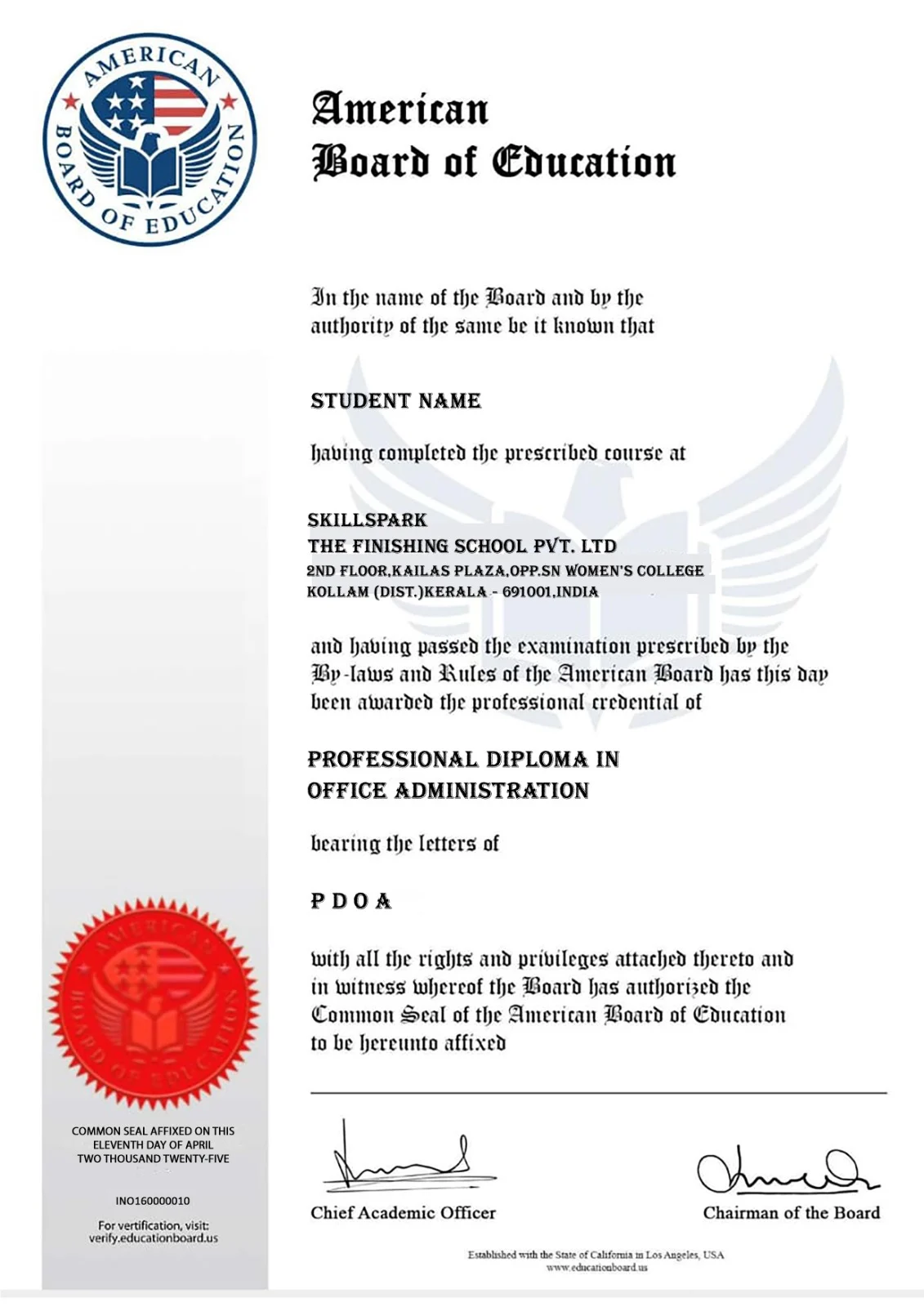
    • Dual certification — ASAP Kerala (Government of Kerala) + American Board of Education International Certificate
    • Kochi’s most comprehensive data analytics with coding program — covering the full analytics and coding toolkit in one classroom course
    • Gulf job advantage — American Board of Education certification combined with Python, SQL, and Power BI skills makes Kochi graduates competitive for data analytics and MIS roles in UAE, Qatar, and Saudi Arabia
    • 100% placement support — resume, mock interviews, LinkedIn, and hiring connections for data analytics roles across Kochi, Kerala, and the Gulf

    Data Analytics with Coding Course Benefits
    Skillspark’s Data Analytics with Coding course in Kochi is a 6-month government-certified classroom program — covering Advanced Excel, Prompt Technology, Power BI, Python, SQL, Google Sheets, Smart Data Collection, and Professional Dashboard Creation. Graduates earn dual certification from ASAP Kerala (Government of Kerala) and the American Board of Education, with 100% placement support for data analytics careers in Kochi, Kerala, and the Gulf.
    Kochi is Kerala’s commercial capital — home to Infopark, SmartCity, Cochin Port, and one of the most active business and technology ecosystems in South India. Data analytics professionals in Kochi are in exceptional demand — IT companies, shipping firms, trading companies, banks, and hospitals all need analysts who can collect, process, visualise, and present data confidently. This course is built specifically to meet that demand.

    • Classroom training in Kochi — face-to-face learning with experienced faculty and hands-on practice on real analytics and coding tools
    • Dual certification — ASAP Kerala (Govt. of Kerala) + American Board of Education International Certificate — recognised by employers in India and Gulf countries
    • Coding included — Python and SQL are part of the core curriculum — making graduates more competitive than candidates from Excel-only analytics courses
    • Infopark and SmartCity career pathway — Power BI, Python, SQL, and Prompt Technology are directly required by IT companies and MNCs in Kochi’s technology parks
    • Prompt Technology in Analytics — learn to use AI to generate Excel formulas, SQL queries, Python code, and business reports faster and more accurately
    • Professional Dashboard Creation — design and present business dashboards that Infopark companies, shipping firms, and clients use for decision-making
    • Smart Data Collection Techniques — understand how to gather clean, structured, and reliable data before starting analysis
    • Shipping and logistics advantage — data analysis and reporting skills directly applicable to Kochi’s port-driven economy
    • Gulf job ready — American Board of Education certification combined with Python, SQL, and Power BI skills makes Kochi graduates competitive for analytics and MIS roles in UAE, Qatar, and Saudi Arabia
    • 100% placement support — resume building, LinkedIn profile, STAR method mock interviews, and hiring connections across Kochi, Kerala, and the Gulf

    Course Highlights

    Why Choose Data Analytics with Coding?

    • 6-month classroom program in Kochi — face-to-face training with experienced faculty
    • Dual certification — ASAP Kerala (Government of Kerala) + American Board of Education International Certificate
    • 10 practical modules — most comprehensive data analytics with coding curriculum available in Kochi
    • Advanced Excel for Analytics — VLOOKUP, INDEX-MATCH, pivot tables, dashboards, department-wise projects
    • Prompt Technology in Analytics — use AI to generate formulas, SQL queries, Python code, and insights faster
    • Power BI — interactive dashboards, DAX functions, Power Query, data modelling, and Power BI Service
    • Python for Data Analytics — Pandas, NumPy, Matplotlib, Seaborn — beginner to job-ready level
    • SQL for Data Retrieval — joins, subqueries, CTEs, window functions for business reporting
    • Google Sheets — collaborative analytics increasingly required by Kochi’s startups and SMEs
    • Smart Data Collection — survey design, web data extraction, data quality validation
    • Professional Dashboard Creation — KPI visualisation and business reporting for management
    • Infopark and SmartCity career ready — Python, SQL, and Power BI skills sought by IT companies and MNCs in Kochi
    • Pre-Placement Training — mock interviews, resume building, LinkedIn, grooming
    • 100% placement support — resume to job offer across Kochi, Kerala, and the Gulf
    • Gulf job ready — American Board of Education certification boosts success for Kochi students targeting UAE, Qatar, and Saudi Arabia
    • Eligibility — Any degree holder — pass or failed — no prior coding or analytics experience required

    Certificates You'll Earn

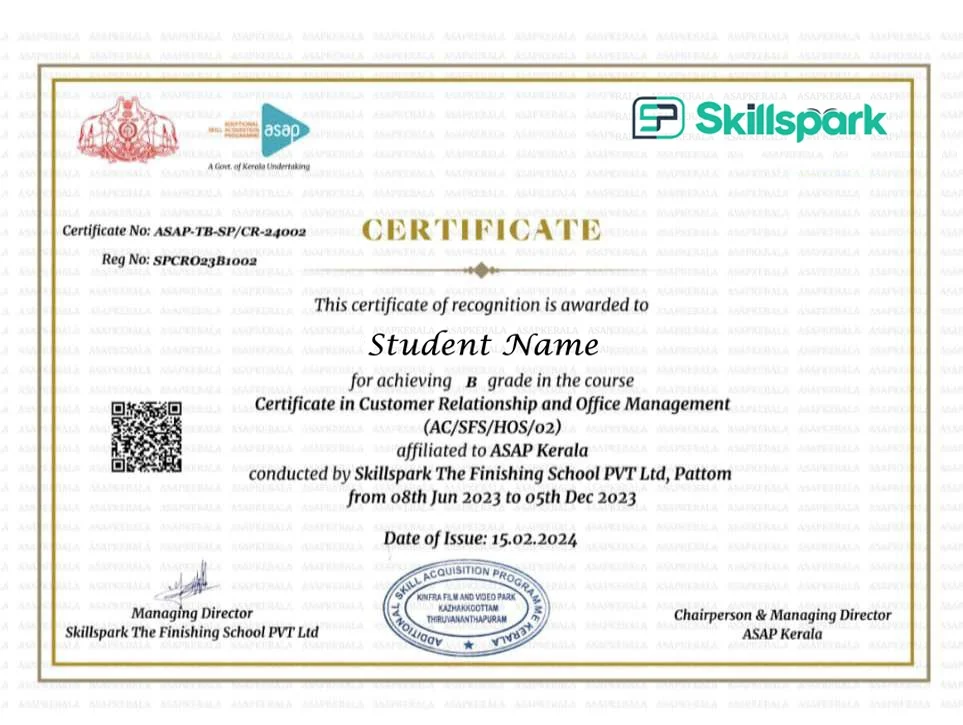
    Upon successful completion of this course, you will receive a recognised certificate from our accredited partners.

    ASAP Kerala (Additional Skill Acquisition Programme) is a skill development initiative of the Higher Education Department, Government of Kerala, aimed at improving employability through industry-relevant training and certification. On successful completion of the course and assessment, learners receive a digitally verifiable certification, validating their skills and enhancing their career opportunities.

    Who Should Join the Data Analytics with Coding Course in Kochi?
    Skillspark’s Data Analytics with Coding course in Kochi is open to any degree holder — pass or failed — in any stream. No prior coding, programming, or analytics experience is required. This course is ideal for:

    • Fresh graduates in Kochi — BCom, BBA, BSc, BA, BCA — who want to enter the data analytics field with coding skills and a government-certified program
    • Infopark and SmartCity job aspirants — Power BI, Python, SQL, and Prompt Technology are directly required by IT companies and MNCs in Kochi’s technology parks for data analyst, MIS executive, and business analyst roles
    • Working accountants and finance professionals — who want to upgrade from manual Excel reporting to Power BI dashboards, Python, and SQL analytics
    • Shipping and logistics professionals — Kochi’s port economy needs analysts who can handle data reporting, multi-source data collection, and visualisation — all covered in this course
    • MIS executives — who prepare reports manually and want to automate and improve reporting using Power BI and Python
    • Marketing and sales professionals — who manage campaign and sales data and want to analyse trends and ROI with proper analytics and coding tools
    • HR professionals — who handle attendance, payroll, and attrition data and want to build HR analytics dashboards
    • Gulf job aspirants from Kochi — American Board of Education certification combined with Python, SQL, and Power BI skills makes graduates competitive for data analytics and MIS roles in UAE, Qatar, and Saudi Arabia
    • Career changers — from any field who want to transition into one of Kochi’s fastest-growing and highest-paying job categories
    skill development courses in Kerala

    Where These Jobs Are Available from Kochi: Graduates secure jobs locally in Kochi — in Infopark and SmartCity IT companies, shipping firms, hospitals, banks, trading companies, and real estate firms. Across Kerala, opportunities exist in Trivandrum’s Technopark. Gulf analytics and MIS roles are actively recruited from Kochi with competitive tax-free salaries.

    Salary Range: Entry-level data analytics roles in Kochi start at ₹18,000–₹35,000 per month. Infopark companies and MNCs typically offer higher starting packages for Python and Power BI skilled candidates. Gulf analytics and MIS roles offer tax-free salaries from AED 3,000–8,000 per month (approximately ₹65,000–₹1,75,000 per month).

    Career Opportunities After Data Analytics with Coding Course in Kochi

    Graduates from Skillspark’s Data Analytics with Coding course in Kochi secure jobs as Data Analysts, MIS Executives, Business Analysts, Power BI Developers, Python Analysts, SQL Analysts, and Reporting Executives — in Kochi, across Kerala, and in Gulf countries.

    • Data Analyst — analyse business data and produce insights for decision-making — in active demand at Infopark IT companies, hospitals, banks, and shipping firms in Kochi
    • MIS Executive — manage management information reports using Excel, Power BI, and SQL — growing role across Kochi’s corporate and technology sector
    • Business Analyst — bridge business needs and data — active in Infopark and SmartCity IT companies, banks, and trading firms in Kochi
    • Power BI Developer — build interactive dashboards and reports — in high demand at Infopark companies and MNCs
    • Python Data Analyst — data processing, automation, and visualisation roles in IT and analytics companies in Kochi
    • SQL Analyst — retrieve and analyse data from databases — required by banks, IT companies, shipping firms, and data teams
    • Reporting Analyst — prepare weekly, monthly, and annual business reports using Power BI and Excel
    • Excel Analyst — manage and analyse large datasets — widely required across all industries in Kochi
    • Gulf MIS and Analytics roles — data analytics professionals with Power BI, Python, SQL, and American Board of Education certification actively recruited in UAE, Qatar, and Saudi Arabia

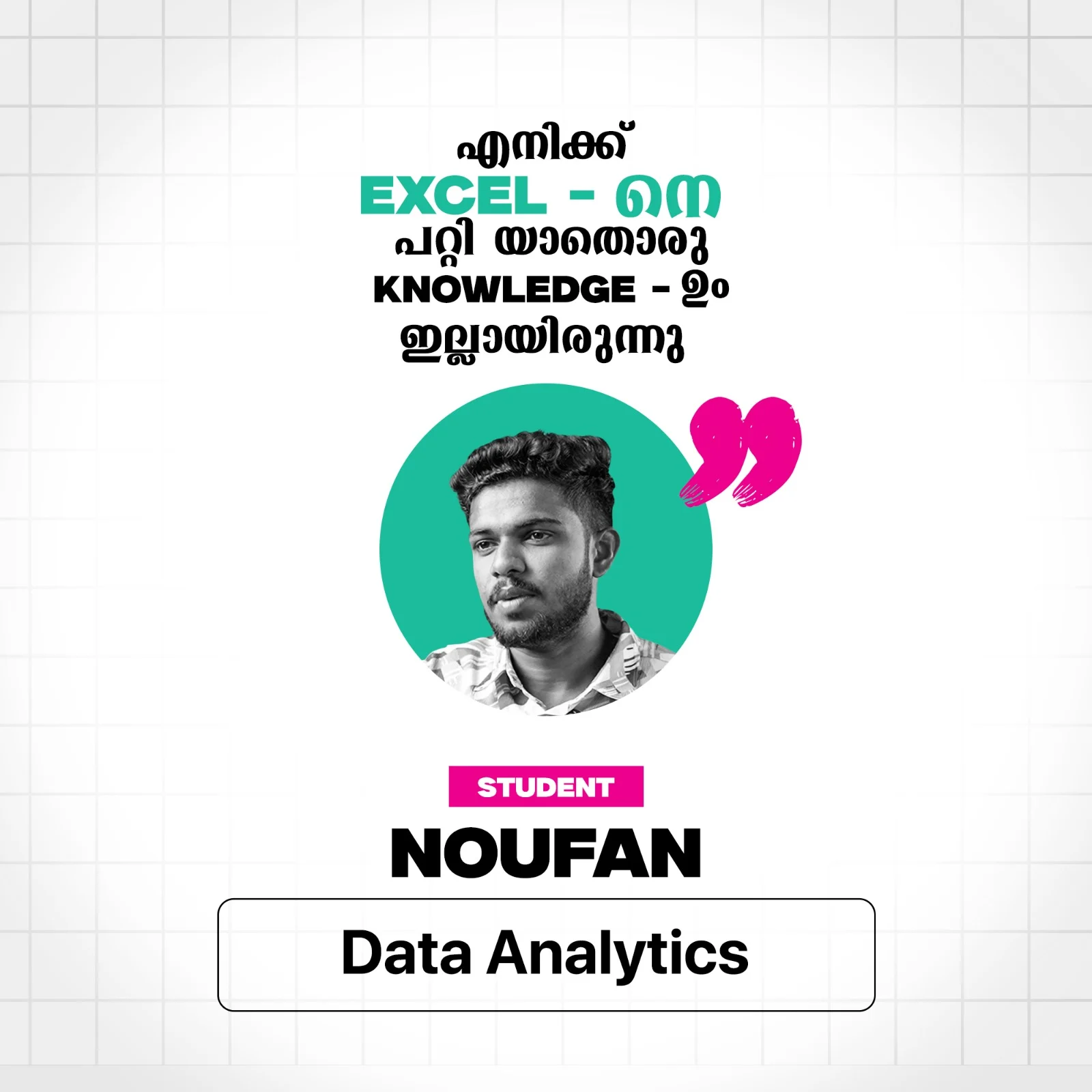
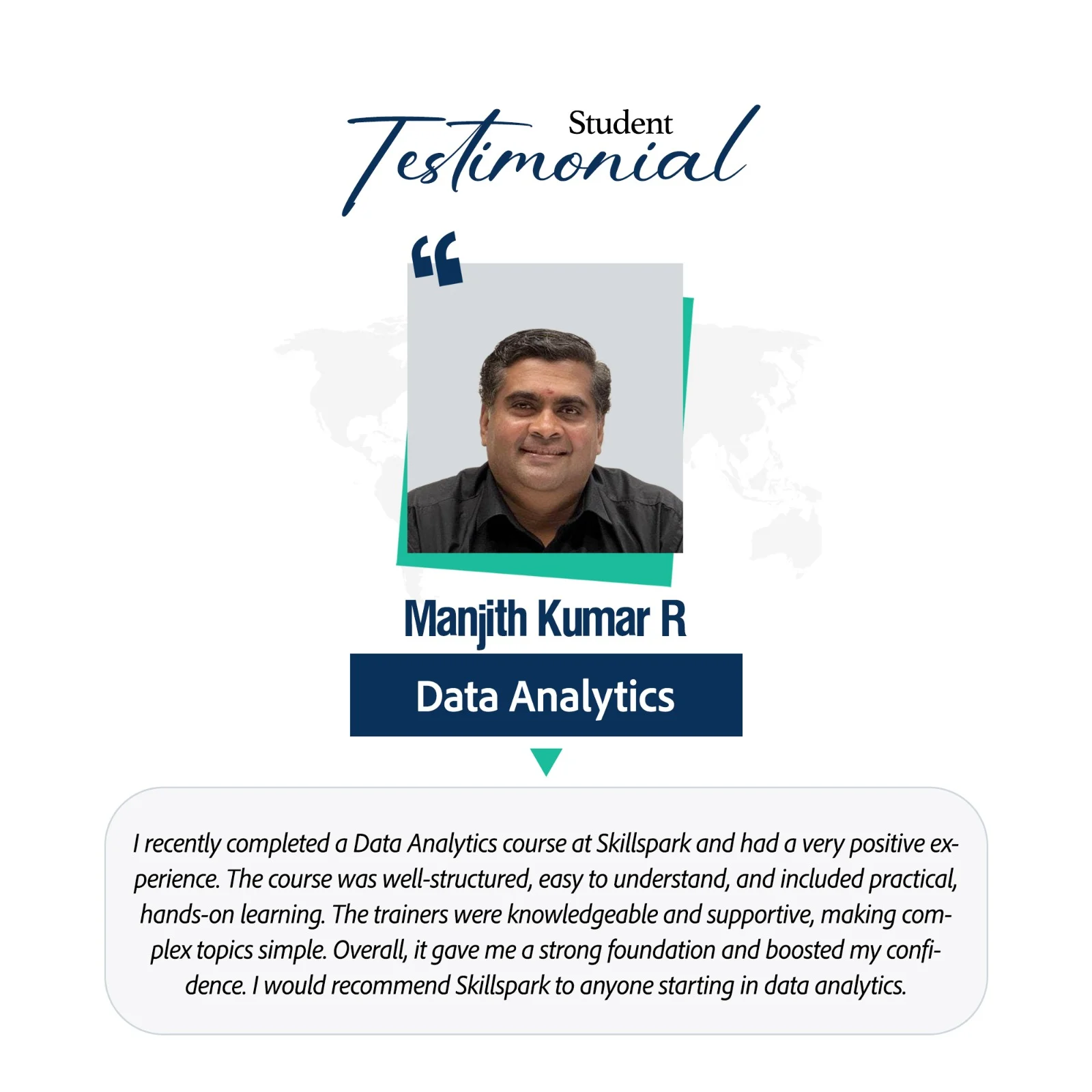
    What our students say

    Frequently Asked Questions on Data Analytics with Coding

    The Data Analytics with Coding course at Skillspark Kochi is 6 months — delivered as full-time classroom training at our Kochi centre. Online enrollment is also available for students who prefer to study remotely.

    Graduates receive dual certification — ASAP Kerala (Government of Kerala) and American Board of Education International Certificate — recognised by employers in India and Gulf countries.

    No. The course starts from the basics of Excel, Python, and SQL — no prior coding or programming experience is required. Any degree holder — pass or failed — in any stream can join.

    Yes. Python for Data Analytics and SQL for Data Retrieval and Analysis are core modules — making this one of the very few data analytics courses in Kochi to include both programming languages alongside Excel and Power BI in a single 6-month program.

    Prompt Technology is the skill of using AI tools to generate Excel formulas, SQL queries, Python code, data cleaning logic, and business insight reports — faster and more accurately. Skillspark’s Kochi course includes a dedicated Prompt Technology in Data Analytics module covering these skills for real office and analytics scenarios.

    Yes. Power BI is a core module — covering data import, Power Query, data modelling, DAX functions, interactive dashboard creation, and Power BI Service for sharing reports with teams and clients.

    Yes. The course includes Power BI, Python, SQL, Advanced Excel, and Prompt Technology — skills actively required by IT companies and MNCs in Infopark and SmartCity Kochi for data analyst, MIS executive, and business analyst roles.

    Yes. The American Board of Education International Certificate combined with Python, SQL, and Power BI skills makes graduates competitive for data analytics and MIS roles in UAE, Qatar, and Saudi Arabia — actively recruited from Kochi.

    Yes. Skillspark provides 100% placement support — including resume building, LinkedIn profile development, mock interviews using the STAR method, and direct connections to hiring companies in Kochi, Kerala, and the Gulf.

    Entry-level data analytics roles in Kochi start at ₹18,000–₹35,000 per month. Infopark companies and MNCs offer higher packages for Python and Power BI skilled candidates. Gulf analytics and MIS roles offer tax-free salaries from AED 3,000–8,000 per month (approximately ₹65,000–₹1,75,000 per month).

    Graduates work as Data Analysts, MIS Executives, Business Analysts, Power BI Developers, Python Analysts, SQL Analysts, and Reporting Executives — in Infopark IT companies, shipping firms, hospitals, banks, trading companies, and Gulf organisations.

    Interested to join Data Analytics with Coding Courses in Kochi ?

    Similar courses which may be of your interest

    Sage50

    Learn international accounting software used by UK and European companies — ideal for professionals targeting accounting careers outside India.

    Zoho GST

    Learn GST filing and compliance using Zoho Books — practical training in one of the fastest-growing accounting platforms preferred by businesses across India.